


OpenCDM Chemistry Data Management System
Features
- Flexible sample data entry
- Full scheduling suite for analysis and events
- Instrumentation quality control
- Integrated web services
- Comprehensive and user definable security and authorizations
- Supports bar coded data logging
- Complex predictive trending
- Comprehensive graphics capability
Description
OpenCDM is the latest generation CANBERRA application designed to meet the unique requirements for nuclear power plant chemistry data management. Developed using the latest client server technology, OpenCDM combines flexible and intuitive user interfaces with platform flexibility.
Effective chemistry data management is mandated by the specific measurement and reporting requirements of plant technical specifications, administrative controls and equipment warranty conditions. OpenCDM gives plant chemistry staffs a powerful tool for logging analysis results, either manually or through automatic transfer from on-line instrumentation, and for trending the data via plots and reports. OpenCDM also has an analysis-scheduling calendar using a completely new design that assures chemistry samples are collected and analyzed at the proper frequencies. The scheduler is sensitive to changes in required sampling/analysis frequencies due to changes in plant operational mode.
CANBERRA has been providing the leading solutions for the commercial industry for over 15 years. OpenCDM was developed with years of input from Chemistry Managers at nuclear power plants. It's a fully integrated package that tracks all laboratory information.
CANBERRA is setting new standards in delivering data management solutions for the industry. OpenCDM is a turnkey solution; the easy configuration allows the system to be put into production without coding or the necessity of IT specialists.
Architecture
OpenCDM is designed using a Client/Server computing architecture. Client/Server divides the computing load between a number of computers. While the Server could conceivably perform all the listed functions, most system configurations will consist of a Database Server, a separate Event Scheduler (or "Super Client") and one or more Client computer systems.

Enterprises today have mixed deployment environments, varying from Windows clients to several types of midrange servers such as Compaq Alpha, Windows NT, and Unix. Applications need to be able to use all the deployment resources available to protect existing investments. The OpenCDM Client and Super Client software reside on industry standard Windows 95/98 or NT Intel processor computers. The Relational Database Management System (RDBMS) can reside on virtually any appropriately equipped computer.
OpenCDM's openness comes from the use of industry standard ODBC drivers to interface the application software on the Client to the RDBMS on the Server. This allows a variety of computing platforms to be employed with no impact on the application code itself.
Intuitive Graphical User Interface
The OpenCDM graphical user interface is an intuitive windows style interface that provides the user with straightforward access to application functions. All commonly used screens can be reached either by selection from the OpenCDM desktop or from the menu bar.
Sample data entry can be accomplished using two different styles of entry screens. The one screen is by sample type and the other is by measurement type. So whether you are entering your data from an analysis or sample centric process the application provides an interface to match your needs.
All sample data entry options provide point of entry limit checking. Each result is stored with the technician's name to ensure accountability. The interface allows the analyst to enter either the resultant value or Minimum Detectable Level (MDL) if appropriate. MDLs can be established in the analysis configuration and like all analysis configuration values can vary by mode, unit, sample point and analysis.
Previous results are quickly available to the analysts entering data. This information can be reviewed in a graphic or tabular format over a user configurable time frame.
The functionality in OpenCDM provides a flexible data approval process. This ensures only authorized persons can approve data. This interface provides an efficient means of approving single or multiple samples and provides multiple approval levels.
Data Security and Integrity with OpenCDM
Data security and integrity have always been hallmarks of CANBERRA's database application packages. OpenCDM is no exception. The package has security features to assure that only authorized users can enter, view, edit and approve data, and it has data integrity checks to assure that data is entered correctly. These features are built into the application and are available regardless of the chosen database server, operating system, or RDBMS.
User name and password maintain security. The names and passwords may be given to individuals or groups with similar application needs. Privileges to use each OpenCDM screen is controlled by the security system based on user log on name. The privileges for each screen include:
- Full access
- View only access
- No access
Data Approval
There are multiple approval levels with approval privileges granted based on User Name. Each user can be assigned a different level of approval. All analysis configurations can be setup to require approval. The entry of analysis results on the sample data entry screen can produce data, which is approved for general use immediately upon entry or may be required to undergo one or more levels of approval prior to general release. ?Sample results can be treated differently depending on the analysis configuration. ?Each operational mode, sample location, and analysis type can have completely different requirements for approval.
Fully approved analysis results are available to any user who has access to the reports or graphics screens. Access to analysis results that are not fully approved is controlled to prevent inadvertent use.
The typical user may have no level to which they can approve data. If an analysis must reach level 3 to be approved, the data must be approved by 3 different people, first by a user with level 1 approval, then by a user of level 2 approval and finally by a user with level 3 approval. No level can be by passed. For ease of use the approval screen only shows data ready for a users approval, data waiting for a different level of approval is not displayed.
Once a data result has been approved, it cannot be edited or deleted by a user at a lower approval level. Data integrity is assured by having each result entry checked versus site determined theoretical limits to minimize errors due to transcription errors. Entries outside theoretical limits are not allowed. Entries within theoretical limits but outside other user defined limits are only stored after the user acknowledges a warning. The warning shows the name and value of the limit, and the user is allowed to enter a reason for the exceeded limit if known.
Flexible Instrumentation Interface
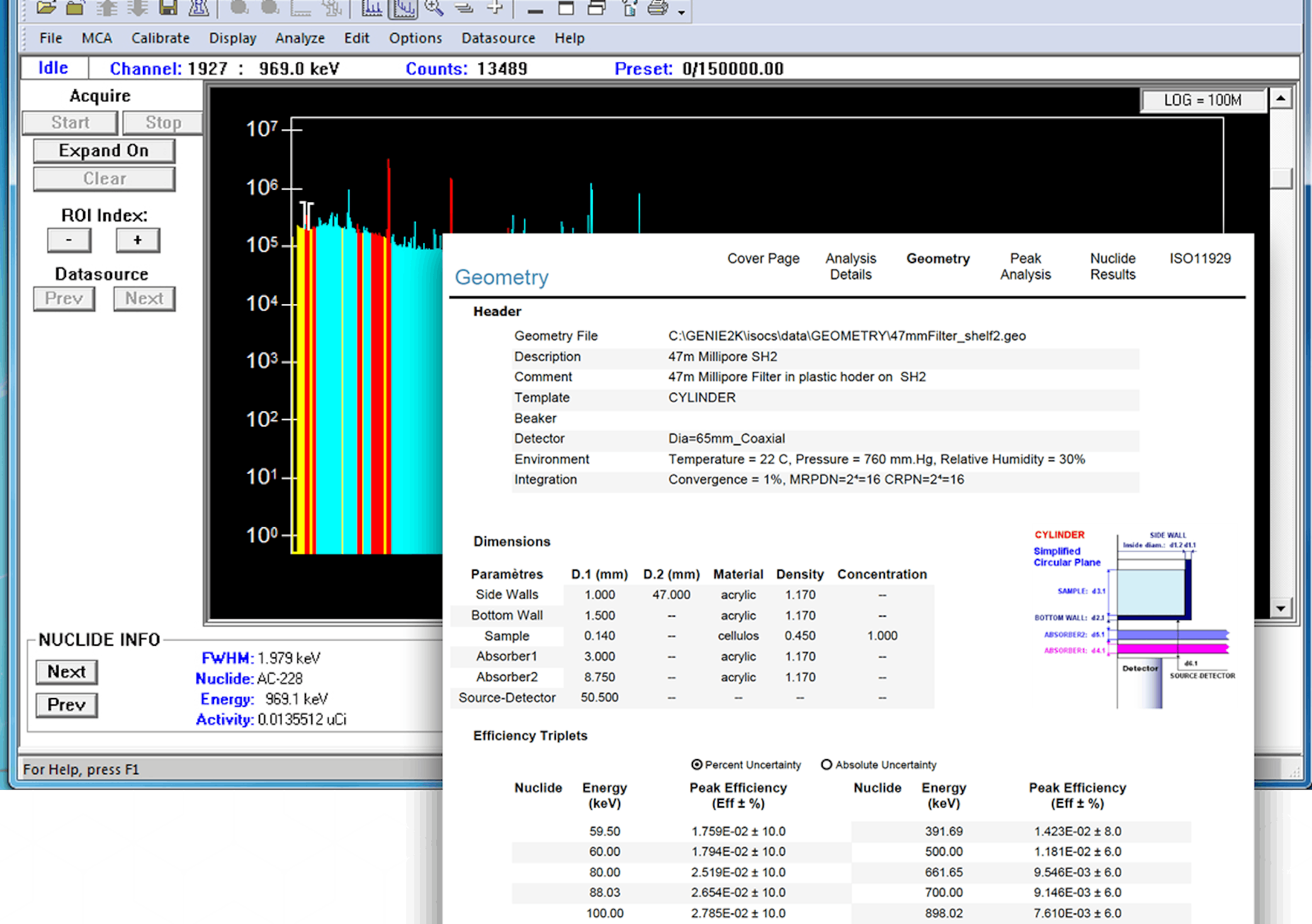
To reduce data entry time and errors OpenCDM includes flexible interface tools to automatically download data directly from instruments. Analysis results created by CANBERRA's Genie Family of systems can be loaded directly into the application. In addition, results from other instruments can be automatically entered into the database with a minimum effort.
Automatic transfer to the OpenCDM database provides for improved operating efficiency by eliminating much of the manual data entry effort.
Hand Held Data Logger
OpenCDM provides integration with hand held data loggers for faster and more accurate record of results. The application administrator creates barcodes from any standard software. These barcodes are then assigned to each unit/sample point/analysis combination. These unique assignments are stored in OpenCDM. The user takes the data logger to the locations in the plant and reads in the barcode to record the unit/sample point/analysis combination the data logger records the date and time. The technician then enters the displayed value from the instrument. These three pieces of information are then stored in the data logger as a record. After the technician has finished obtaining all the data the results are automatically downloaded into the application.
Predictive Trending
The predictive trending functions allow a user to enter unit, sample point, and analysis combinations of interest. Once the application has this information it simply needs to know the date range of known values to start with. The user has the option of including records with a variety of approval statuses. Once these values are entered the application retrieves the appropriate data and develops a plot.
The predictive trending can be used to either calculate the date a certain value will be reached or given a date the application will predict the value of the appropriate parameter.
The user can modify the data set used in the plot to eliminate values to get a better fit. Fits can be selected as linear, logarithmic, exponential, or polynomial (up to and including 5Th order.) When the user selects a fit type the plot is updated to reflect the latest data. The user can also view the derived equation.
Intranet Viewer
To ensure appropriate data is available for use by plant personnel without increased support overhead CANBERRA has created an Intranet Viewer option with OpenCDM. This package makes data available to all members of plant staff through their Intranet. This functionality can be used to generate almost unlimited numbers of reports and graphs showing sample results, plant data, and any other information stored in OpenCDM. The system administrator during installation configures the Intranet Viewer option. Once this is done any of the OpenCDM reports and graphs can be used to generate output for the Intranet. All a user needs to view the data is a web browser and access to the OpenCDM web page.
Scheduling
The scheduling tools provided in OpenCDM provides the ability to execute automated events and reports at predetermined times. A flexible user interface and comprehensive wizards make administration easy.
The scheduling functions are based on a calendar. System Managers can mark dates as holidays and schedules can take this into account upon creation of schedules. Special frequencies available are available such as the second Tuesday of every third month. Uneven frequencies available; for example events can be run on Mondays, Tuesdays and Thursdays.
Scheduling events are available for:
- Sample analyses
- Event scheduler for reports graphs, etc.
- Calibrations
- Calibration checks Instrument maintenance
Note to our International Customers: If you would like a quote on this product, please contact your Local Sales Office for assistance. |
||
| Models | Description | |
| OCDM-MG | OpenCDM Base Software and License Manager | |
| OCDMCONT | OpenCDM Client/Server Software Support - 12 mos. | |
| OCDM-DOC | OpenCDM Hardcopy Documentation | |
| OCDM-QCO | OpenCDM Instrument QC Option | |
| OCDM-MED | OpenCDM Media on CD-ROM | |
| OCDM-S | OpenCDM Server License Package | |
QUESTIONS? 
In the United States
(800) 243-3955
Outside United States:
(203) 238-2351